Online ordering and menu QR codes
Turn on online ordering for a Rowie menu so guests scan a QR code, order and pay online or at pickup, then follow their order live on their phone until ready.
Online ordering gives a menu its own web page and QR code. Guests scan it, order without an app, and pay online or when they collect. Great for counters, coffee shops, food trucks and pop-ups.
Turn it on
- Open Sell → Menus, open the menu and click Pre-Orders.
- Turn on Enable Pre-Orders.
- Set the Menu URL, or click Generate.
- Choose the Payment Options (Both Options is recommended), the Prep Time and any Pickup Instructions, such as "Collect from the end of the bar".
- Click Save Changes. The page shows Live.
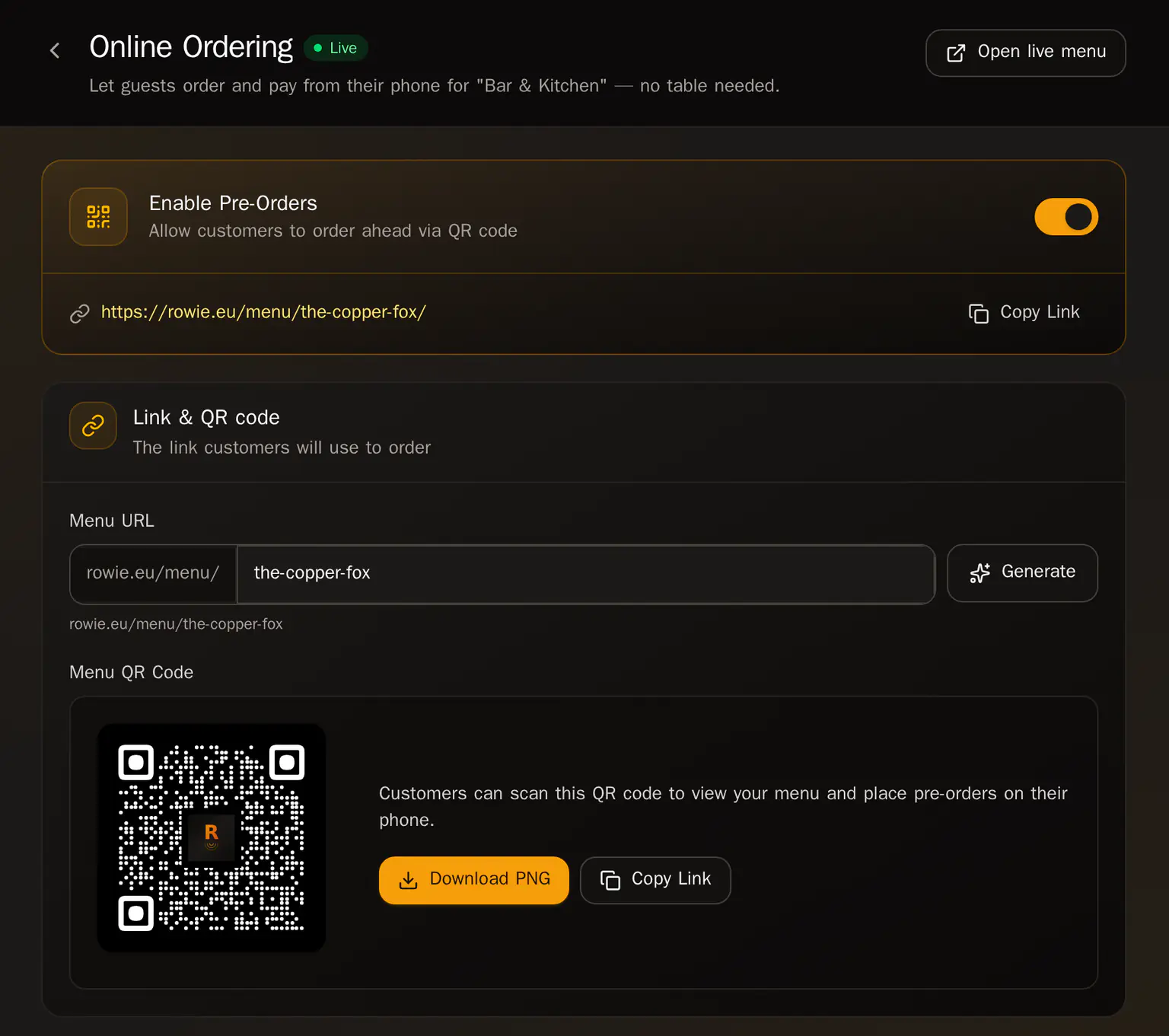
Share the QR code
Under Menu QR Code, click Download PNG to print it, or Copy Link to share it online.
To change the page's look, click Customise design. See Branding and page design.
What guests see
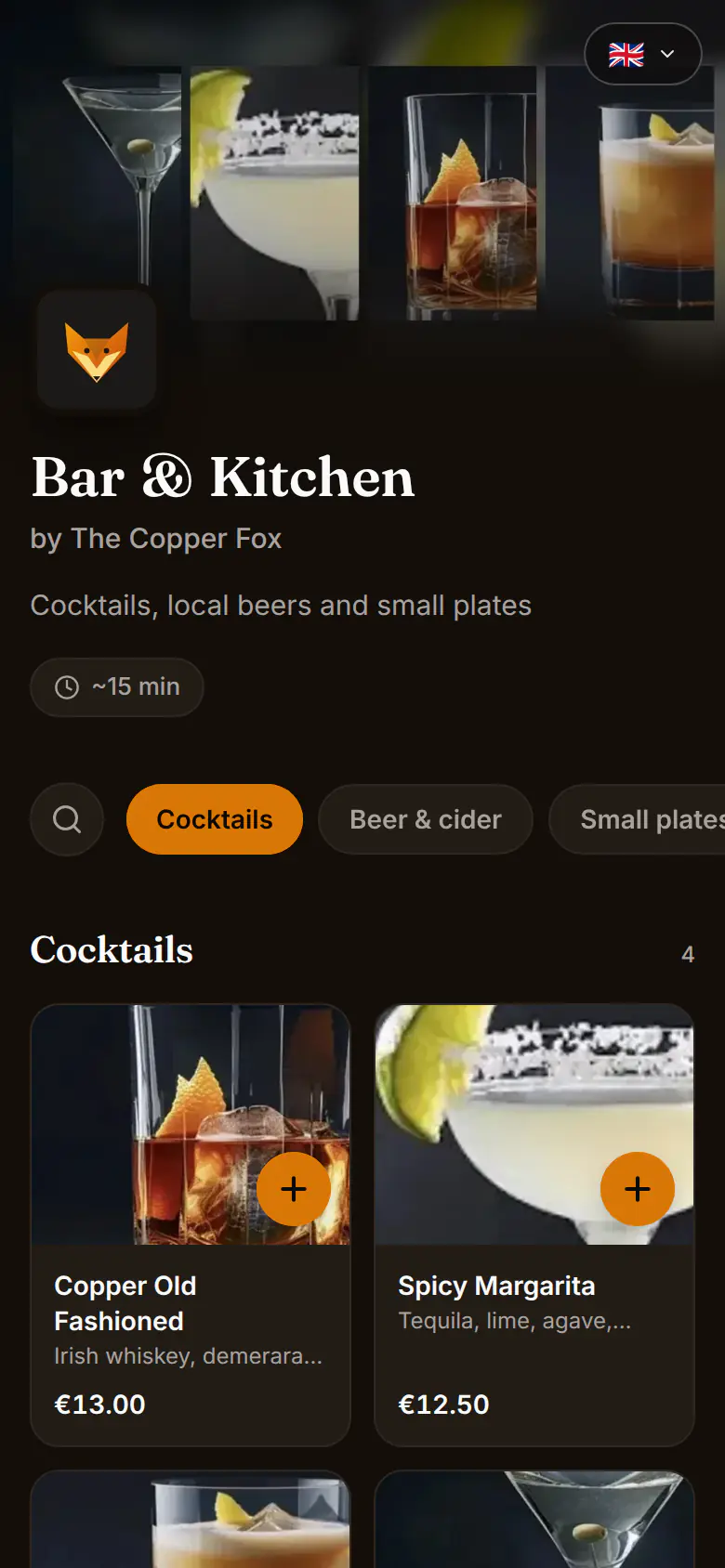
Guests add items, enter their name and email, and pay now or at pickup. They can follow their order on their phone until it's ready.
If an item has options, such as a size, a milk or extras, guests choose them before they add it. The price updates as they choose. Choices you switch off show as unavailable. The same happens when guests order from a table QR code.
Handle the orders
New orders appear in the portal under Service → Tables and on the Kitchen display, and in the app under Tabs with a PICKUP badge.
- Move the order on with Start cooking → Mark ready → Mark served. The guest's page updates as you go.
- When they collect: if they paid online, click Mark complete (Mark Done in the app). Otherwise Settle and take the payment.
To pause online orders, turn off Enable Pre-Orders and save.
Related articles
- Menus, categories and productsHow Rowie menus work: products shared across menus, a price per menu, sections, checkout settings, copying a product for just one menu and the Starter limits.
- Branding and page designGive every Rowie guest page your look - logo, cover photo, colour, fonts and layouts in one brand kit, and a different design for any menu, event or booking.
- Floor plans and table QR codesDraw your rooms in Rowie, place tables with seats and shapes, choose how QR orders are paid and print a QR code for every table so guests order from their seat.
- Sending orders to a tableTable service in the Rowie app step by step: send a round to a table, add more rounds, follow the kitchen, then settle the bill by card, cash or a split.